
Download Tubly – Efficient AI Summarization for YouTube Videos
Overview
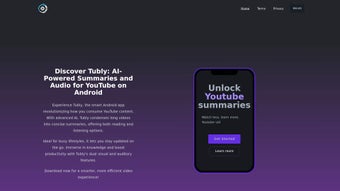
Tubly is a cutting‑edge AI‑powered web application designed to reshape the way you consume YouTube content. By leveraging the latest advancements from OpenAI and ChatGPT, Tubly instantly converts lengthy video recordings into clear, concise written summaries and optional audio narrations. This capability is especially valuable for busy professionals, students, and lifelong learners who need to stay informed without spending hours watching full‑length videos. In addition to its core summarization engine, Tubly offers interactive timestamps that let you jump directly to the most critical moments of any video, multilingual translation for cross‑language accessibility, and a persistent history log that preserves all of your past summaries for quick reference. Whether you are looking to skim a tech tutorial, catch up on a conference keynote, or simply get the gist of a favorite vlog, Tubly delivers the essential insights in a fraction of the time, all within a secure, privacy‑focused environment that runs completely in your browser.
Key Features
- AI‑Generated Summaries: Uses OpenAI’s language models to produce accurate, context‑aware written summaries in seconds.
- Audio Narration: Optional text‑to‑speech output lets you listen to the summary while on the go.
- Interactive Time Stamps: Clickable markers appear beneath each summary, taking you directly to the corresponding video segment.
- Multilingual Translation: Summaries can be rendered in over 30 languages, making global content accessible to non‑native speakers.
- History & Bookmarking: Every processed video is saved in a personal history panel, enabling quick retrieval and comparison.
- Secure, No‑Install Web App: Operates fully within modern browsers, eliminating the need for downloads or installations.
- Real‑Time Updates: The platform continuously integrates the latest OpenAI improvements for higher quality output.
- Customizable Summary Length: Choose between concise (one‑paragraph) or detailed (multi‑paragraph) summaries.
Installation & Usage Instructions
Because Tubly is a cloud‑based web application, there is no traditional installation process. Follow these simple steps to start summarizing YouTube videos instantly:
- Open Your Browser: Tubly supports all major browsers, including Chrome, Firefox, Edge, and Safari. Ensure your browser is up‑to‑date for optimal performance.
- Visit the Official Site: Navigate to www.tubly.ai. The landing page loads a clean interface with a single input field.
- Paste the YouTube URL: Copy the link of the video you wish to summarize and paste it into the designated box. Tubly automatically detects the video ID.
- Select Preferences: Choose your desired summary length, enable audio narration if needed, and pick a language for translation.
- Click “Summarize”: The AI engine begins processing. Within seconds, you’ll see a written summary appear alongside a set of interactive timestamps.
- Explore the Summary: Hover over any timestamp to preview the related video clip, or click to jump directly to that moment.
- Save or Share: Use the built‑in “Save to History” button to store the summary, or click “Share” to copy a link that includes your custom summary for collaborators.
For mobile users, Tubly’s responsive design adapts seamlessly to iOS and Android browsers, delivering the same fast summarization experience on smartphones and tablets. No plugins, no extensions, and no account is required—though creating a free account unlocks cloud‑synced history across devices.
Compatibility & System Requirements
Tubly runs entirely in the browser, making it compatible with any operating system that supports modern web standards. Whether you are on Windows 10/11, macOS Monterey or later, Linux distributions, Chrome OS, or even a mobile device running iOS 14+ or Android 9+, Tubly will function without any additional software. The only requirement is an active internet connection and a recent browser version that supports WebAssembly and the Fetch API, both of which are standard in today’s browsers.
Because the application processes video data on secure cloud servers, it does not place heavy CPU or memory loads on your local machine. This means even low‑spec laptops or tablets can generate summaries quickly, as long as the network latency is reasonable. Tubly also respects user privacy; no video content is stored permanently on our servers—only the minimal metadata required to generate the summary, which is automatically deleted after processing.
For organizations concerned about data compliance, Tubly offers an enterprise‑grade version that can be deployed behind a corporate firewall using a dedicated API endpoint. This version adheres to GDPR, CCPA, and other regional privacy standards, providing the same AI‑driven summarization capabilities while keeping all data within the organization’s trusted environment.
Pros & Cons
Advantages
- Fast, AI‑generated summaries that save time.
- Audio narration option for hands‑free consumption.
- Interactive timestamps make navigation effortless.
- Multilingual support expands accessibility.
- No software download; works directly in the browser.
- History feature prevents loss of previously summarized content.
- Secure processing with privacy‑first design.
- Free tier available with optional paid upgrades for higher limits.
Limitations
- Requires a stable internet connection; offline use is not supported.
- Summaries depend on the quality of the original video’s audio; very noisy recordings may produce less accurate text.
- Free tier imposes a daily limit on the number of videos processed.
- Complex, highly technical videos may need manual verification for full accuracy.
Frequently Asked Questions
How does Tubly generate its summaries?
Tubly extracts the video’s audio track, sends it to OpenAI’s Whisper for transcription, and then passes the text to a ChatGPT model fine‑tuned for summarization. The result is a concise, context‑aware written summary that captures the main ideas.
Can I use Tubly on a mobile device?
Yes. Tubly’s responsive web design works on iOS and Android browsers. The interface automatically adapts to smaller screens, and the audio narration feature is especially handy for on‑the‑go listening.
Is there a limit to how many videos I can summarize?
The free plan allows up to 10 videos per day. Paid plans provide higher limits, unlimited daily processing, and priority access to the latest AI models.
Does Tubly store my video content?
No. Tubly processes the audio stream temporarily to generate a transcript and then discards the raw data. Only the resulting summary and optional metadata are saved in your personal history, which you can delete at any time.
How accurate are the multilingual translations?
Tubly uses OpenAI’s translation models, which currently support over 30 languages with high accuracy for most mainstream languages. For niche dialects, results may vary, but the platform continuously improves as new models are released.
Tubly impresses with its speed and the quality of its AI‑generated summaries. The interactive timestamps and multilingual options set it apart from generic transcript tools. While the free tier’s daily limit might frustrate heavy users, the affordable premium plans make it a worthwhile investment for anyone who regularly consumes long YouTube content.
Conclusion & Call to Action
In a world where video dominates the information landscape, Tubly offers a pragmatic solution to the time‑crunch dilemma. By converting hours of YouTube playback into bite‑size written or audio summaries, it empowers professionals, students, and casual viewers alike to stay up‑to‑date without sacrificing productivity. The combination of AI accuracy, multilingual support, and an intuitive web‑only interface makes Tubly a standout tool in the crowded space of video summarization services.
Ready to reclaim your time and absorb more knowledge in less minutes? Download Tubly today, start summarizing your favorite YouTube channels, and experience the future of video consumption—secure, fast, and completely free to begin.



.png)



